Introducing: Beautiful Layouts for Your Rails App
I am excited to introduce something entirely new to Rails Designer, the premier UI components library for Rails: layouts! 🥳
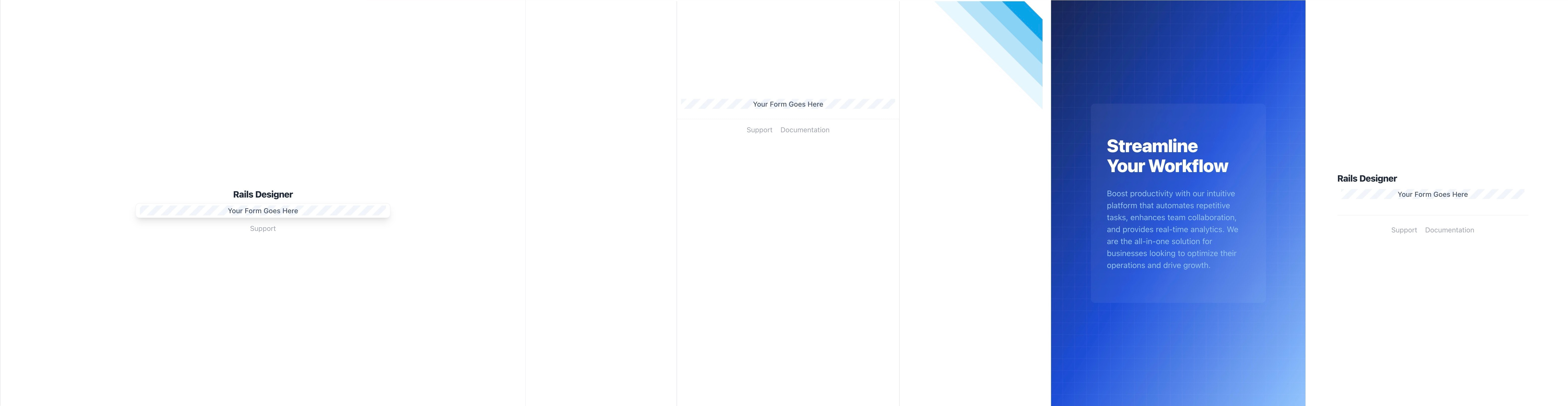
A layout is a template that wraps around a view, providing a common structure and shared HTML elements for multiple screens. The default layout is application.html.erb that typically wraps your entire app. But almost all Rails SaaS apps use multiple other layouts.
Most common is the one for the public screens, eg. the sign up or log in pages. How does this work?
class SessionsController < ApplicationController
  layout "authentication"

  # …
end
That layout "authentication" part is key. Learn all about layouts in Rails in this article.
For starters (and to get some feedback from the many users of Rails Designer) I have added three authentication layout variants. I have plenty more ideas, but love to hear your feedback.
Want to read me more?
-
How Layouts Work in Rails
Learn everything about Layouts in Ruby on Rails apps. How do they work and how can I specify a layout file? -
Nested Layouts with Ruby on Rails
Nested layouts is not supported out-of-the-box in Ruby on Rails. But it's easy to create yourself! -
Custom Meta Titles in Rails Apps: A Quick Guide
Learn the crucial steps to adding custom meta titles to your Rails application to improve user experience and navigation. This guide explains how to utilize the content_for method to create dynamic and unique page titles, ensuring your Rails app stands out and is user-friendly. Perfect for developers aiming to personalize each page, our tutorial makes your Rails app's tabs clear and identifiable, helping users efficiently manage their open pages.
Over to you…
What did you like about this article? Learned something knew? Found something is missing or even broken? 🫣 Let me (and others) know!
Comments are powered by Chirp Form
{{comment}}