Announcing Fuik: a webhook engine for Rails
Webhooks are one of those super simple but really powerful tools that almost every developer has needed to use at least once. From Stripe, GitHub to Postmark. Setting up webhooks is not difficult, but there is quite a bit of boilerplate involved: payload storage, event routing and signature verification. Repetitive. Tedious. Boring. Oh, and did I mention debugging?
Meet Fuik: a Rails engine that catches and stores webhooks from any provider, then gives you a clean way to process them.
👉 If you want to check out the repo and star ⭐ it, that would make my day! 😊
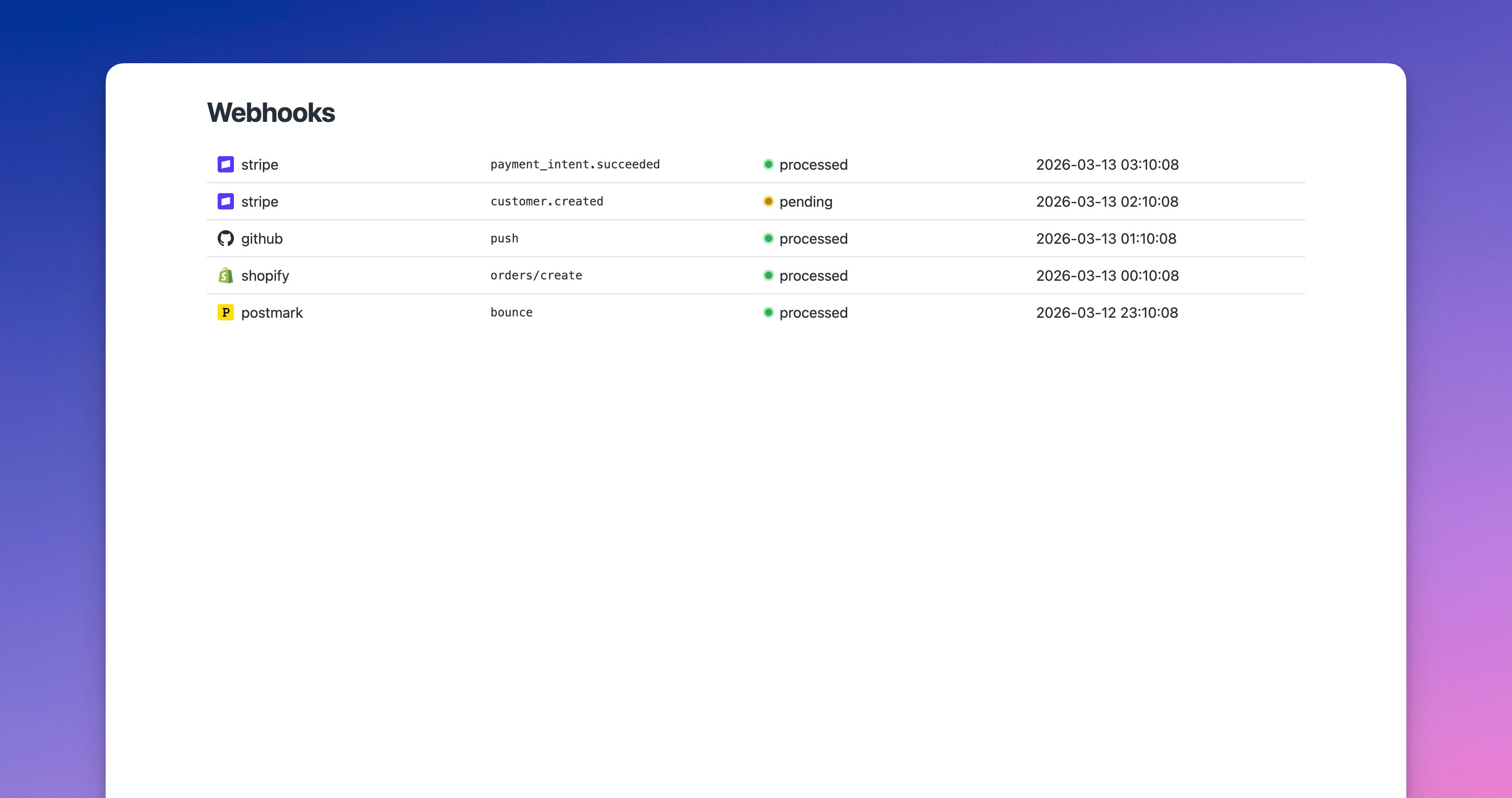
You can install Fuik simply by running bundle add fuik and then run the install generator and migrate the database. Seconds of work! Your app can now receive webhooks at /webhooks.
Then visit /webhooks to view all received webhooks. Click any event to see the full payload (that’s where Fuik has some powereful features stored for you; more on that below).
But just looking at your webhook payloads is not enough. Fuik maps every event with a dedicated class. Create one by running:
bin/rails generate fuik:provider stripe checkout_completed
This creates app/webhooks/stripe/checkout_session_completed.rb. Add your business logic:
module Stripe
  class CheckoutSessionCompleted < Base
    def process!
      User.find_by(id: payload.client_reference_id).tap do |user|
        user.activate_subscription!
        user.send_welcome_email
      end

      @webhook_event.processed!
    end
  end
end
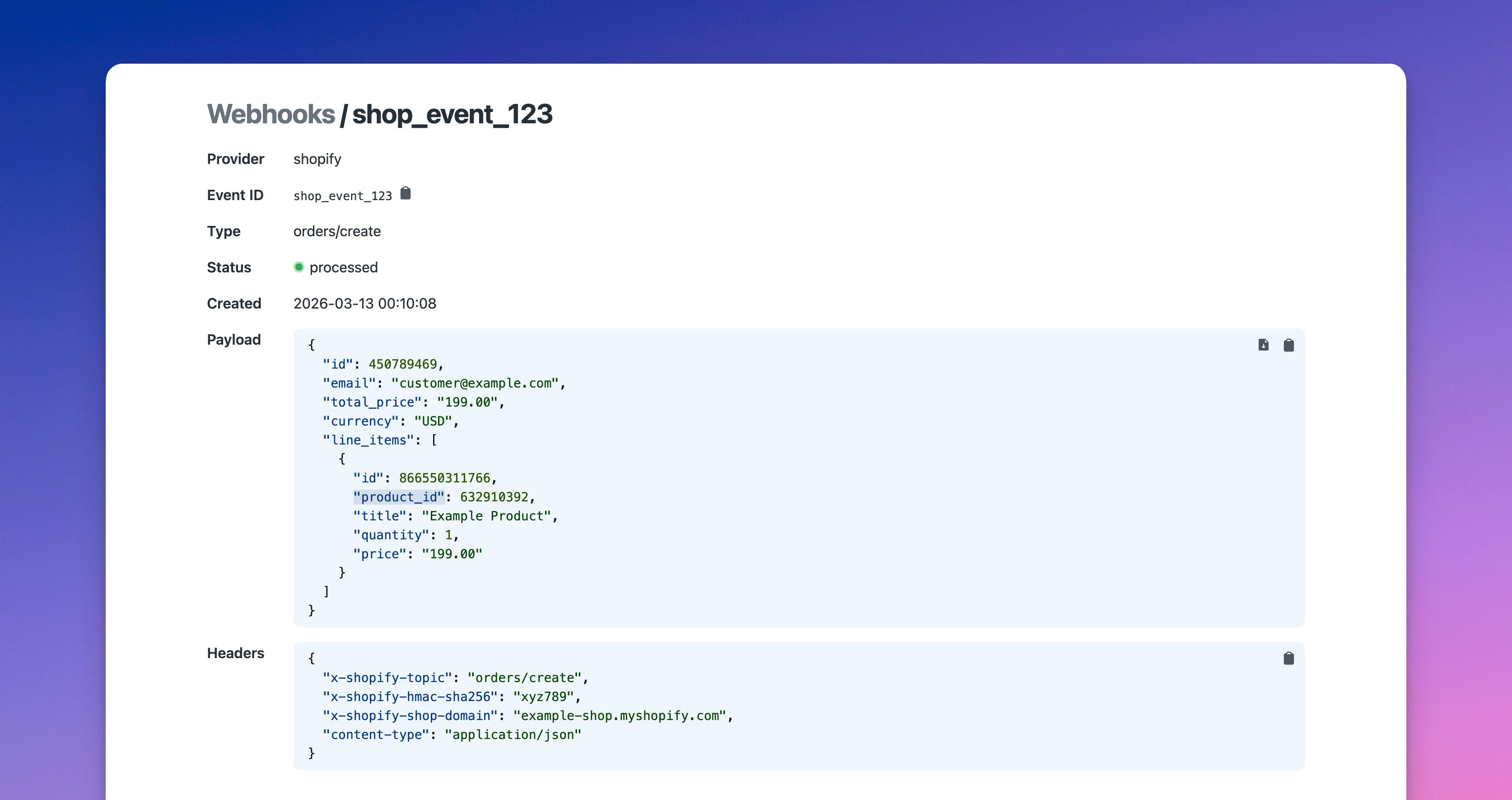
Fuik’s UI has quite a few more trick up its sleeve to help you (or your LLM friend) debug your webhook issues. 🤖⚡
- Copy payload as JSON: click a button, payload is in your clipboard
- Download payload as JSON file: keep it for testing, debugging or throw it at your LLM agent, bot or colleague.
-
Add
.jsonto any URL: get the raw payload without the UI -
Click any key to get the Ruby accessor path: click
product_id(as seen in the above screenshot) in the dashboard and getpayload["line_items"][0]["product_id"](say what? 🤯)
Fuik includes templates for a small selection of providers I needed. Built one yourself? Upstream it and submit a PR. Help your fellow developer by contributing to OSS. ❤️
Already using Fuik? Star it on GitHub. ⭐
Want to read me more?
-
Simple Stripe Billing for Rails
Getting paying users has never been simpler with Stripe and Rails. Let's go over the tiny amount of code needed today. -
Using Subdomains in Rails: Development vs Production
A clean and simple approach to make work with subdomains locally. -
The Best of 2025 from Rails Designer
An overview of the best articles in 2025 from Rails Designer.
Over to you…
What did you like about this article? Learned something knew? Found something is missing or even broken? 🫣 Let me (and others) know!
Comments are powered by Chirp Form
{{comment}}