Permission UI the Rails way
I’ve built many a SaaS. And most have pricing tiers: the higher the plans the more widgets you can create or features are allowd. Typically there are two ways to approach this:
- hide the feature if the customer does not have access;
- show all features, to all customers, but guard them with some, optional, upsell.
I have succesfully implementated the latter approach with a helper that quacks like Rails itself.
The helper lets you wrap content and decide what happens when access is denied. Hide it, redirect to a link, render content or render a partial. It’s small but flexible. This is how it looks (added a toggle allowed/denied states):
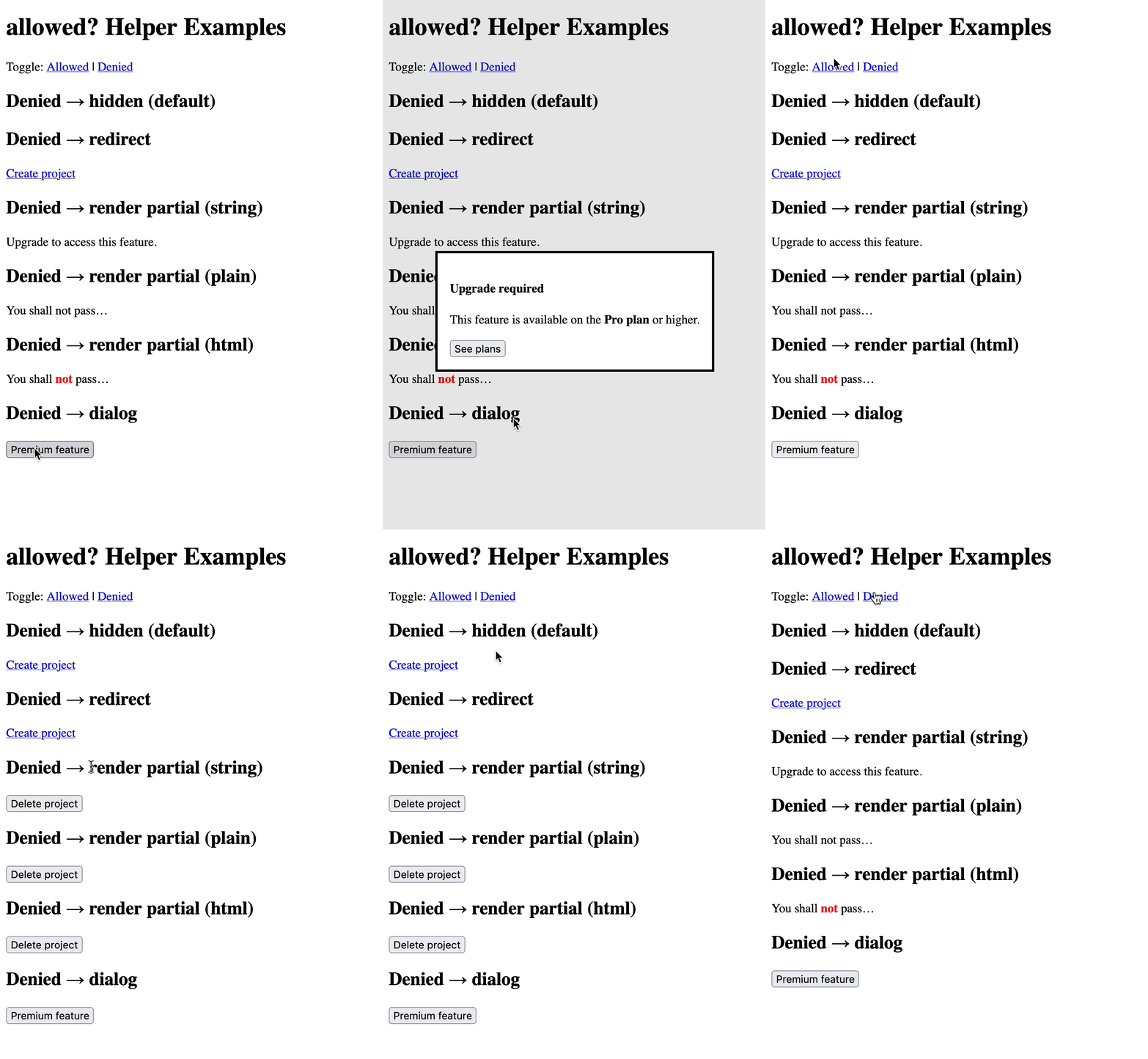
As always view on GitHub for a ready-to-copy code.
The API is elegant. Let’s look at some examples:
<%= allowed? Current.user.premium? do %>
  <%= link_to "Create project", projects_path %>
<% end %>
When Current.user.premium? is true, the link renders. When false, nothing shows. That’s the default behavior.
But you can do more. Redirect to a link instead:
<%= allowed? Current.user.premium?, redirect_to: upgrade_path do %>
  <%= link_to "Advanced analytics", analytics_path %>
<% end %>
The content becomes a clickable link pointing to your upgrade page.
Show plain text as a fallback:
<%= allowed? Current.user.premium?, render: { plain: "Upgrade to unlock this." } do %>
  <%= button_to "Delete project", project_path, method: :delete %>
<% end %>
Or render HTML:
<%= allowed? Current.user.premium?, render: { html: "Upgrade to the <strong>Pro plan</strong>." } do %>
  <%= button_to "Delete project", project_path, method: :delete %>
<% end %>
And render a partial for complex fallbacks:
<%= allowed? Current.user.premium?, render: "upsell" do %>
  <%= button_to "Advanced settings", settings_path %>
<% end %>
The helper
Here’s the full helper in app/helpers/allowed_helper.rb:
module AllowedHelper
  def allowed?(condition, options = {})
    return yield if condition

    if options[:redirect_to]
      content = capture { yield }

      link_to strip_tags(content), options[:redirect_to]
    elsif options.key?(:render)
      render_options = options[:render]

      if render_options.is_a?(Hash) && render_options.key?(:html)
        render_options[:html].html_safe
      elsif render_options.is_a?(Hash) && render_options.key?(:plain)
        render_options[:plain]
      else
        render({ partial: render_options.to_s }) if render_options.is_a?(String) || render_options.is_a?(Symbol)
      end
    end
  end
end
The logic is straightforward. If the condition is true, render the block. If false, check your options and handle it accordingly.
When you pass redirect_to, it captures the block content, strips HTML tags and wraps it in a link. When you pass render, it supports three formats: plain text, raw HTML or a partial name as a string or symbol.
This helper did, ~10 years ago, not start like this. Over the years, after working on many dozens Rails-based SaaS apps, my aim became to make helpers “quack” more like Rails methods. You’re familiar with render plain:, render html: and partial rendering. This helper just extends that familiar syntax to conditional rendering.
I like it. What do you think of this?
Want to read me more?
-
Rails link_to_if and link_to_unless
Rails comes with the link_to_if and link_to_unless helpers that will help you clean up your views. -
Rails' Partial Features You (Didn't) Know
Rails partials have many lesser known features. From counters to spacer templates! Learn all there is to know about partials. -
Components in Rails without gems
This article explores various techniques to get more out of your vanilla Rails partials without needing any gem
Over to you…
What did you like about this article? Learned something knew? Found something is missing or even broken? 🫣 Let me (and others) know!
Comments are powered by Chirp Form
{{comment}}